Announcing Seemore’s Warehouse Optimization: Full Control Over Your Entire Snowflake Environment

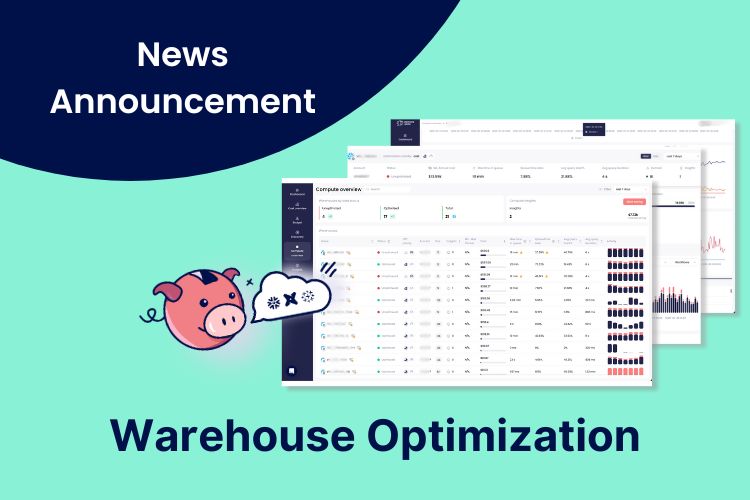
Warehouse Optimization is Seemore’s set of monitoring and automation features for Snowflake compute. It shows the size, scaling, uptime, spilling and queueing of every warehouse in one place, recommends what to change, and can apply some of those changes for you once you switch them on. How far that goes is your choice: Seemore runs in insight-only mode, recommendation mode or fully automated mode, set across the account or per capability.
Managing a Growing Snowflake Environment with Confidence
Managing Snowflake data warehouses is a balancing act between performance and cost. As data teams expand their Snowflake environments to enhance efficiency and power cutting-edge data products, they often lack clear guidelines on how to optimally configure, size, monitor, and utilize their resources. We struggle with determining the right warehouse size, configuring scaling policies, and tracking resource utilization to prevent inefficiencies. Missteps can lead to sluggish queries, resource wastage, and unexpected expenses.
Introducing Seemore’s Warehouse Optimization: Right-Size Compute for Speed, Cost, and Scale
Seemore’s Warehouse Optimization eliminates inefficiencies in warehouse management, giving data teams full control over compute utilization, performance, and costs.
Instantly spot issues across all warehouses with a complete performance overview.
To achieve this, Seemore offers a comprehensive suite of monitoring and optimization tools that provide real-time insights and automation to ensure data teams maximize their Snowflake environments.
Complete Command Over Cost and Performance: No Surprises, No Waste
With a single dashboard, teams can detect misconfigurations, excessive uptime, and underutilized compute across all warehouses, ensuring optimal configurations for cost efficiency or maximum performance based on business needs.
Warehouse Monitoring Features
- Track continuous ingestion patterns to ensure real-time data processing stays efficient.
- Monitor query load percentages to optimize resource allocation and prevent bottlenecks.
- Analyze spillage distribution (both local and remote) to pinpoint wasted resources and reclaim compute power.
- Assess query execution times and queue delays to identify performance slowdowns and inefficiencies.
Proactive Optimization Features
- Right-size each warehouse by the hour. SmartPulse builds a weekly schedule of sizes, and optionally generations, from recent workload patterns, and applies it once you have reviewed and approved it. You can override any hour, and disabling it returns the warehouse to its previous configuration.
- Scale multi-cluster warehouses back in. Snowflake adds clusters when load rises; Auto-Scaler removes the ones that are no longer earning their keep. Scale-in pauses while any queries are queued, a cluster must have run for at least a minute before it is considered, and the count never leaves the minimum and maximum you set. Enterprise edition only.
- Suspend idle warehouses almost immediately. Auto-Shutdown overrides Snowflake’s own auto-suspend logic, dropping the suspend value to one second once a warehouse goes idle. It is a graceful shutdown: running queries always finish first.
- Keep bursts from costing performance. Burst Protector runs with every applied SmartPulse schedule, either never exceeding your original cost or scaling above your configuration up to a ceiling you set.
- Find what is worth changing by hand. Seemore ranks the recurring queries that cost the most, and scores your clustered tables so you can see where Snowflake’s automatic clustering is not paying for itself. Both come with the reasoning and the SQL to run in Snowflake yourself.
View individual warehouses to identify workload imbalances and query performance issues.

What Seemore applies, and what it only recommends
Every automation is off until you turn it on, per warehouse or across the account, and you choose how far it goes: insight only, recommendations, or fully automated, globally or per capability.
Applied for you, once enabled. Auto-Shutdown suspends idle warehouses. Auto-Scaler reduces the cluster count on multi-cluster warehouses. SmartPulse applies the hourly schedule after you approve it, with Burst Protector running alongside it.
Recommended only. The Auto-Clustering Agent is read-only inside Seemore: it scores your clustered tables, says whether to optimize, keep or disable clustering on each, and hands you the SQL to run in Snowflake yourself. Query optimization works the same way, ranking the costly recurring queries and explaining them, and leaving the change to you.
What it needs. A Snowflake user with metadata permissions, the MANAGE WAREHOUSES privilege for SmartPulse and Auto-Scaler, and Enterprise edition for Auto-Scaler, since multi-cluster warehouses require it. Seemore reads metadata and query history, never the contents of your tables, and is SOC 2 Type II compliant.
Real-World Application: When Scaling Up Saves Costs
Optimization isn’t just about cutting back; sometimes, scaling up is the smarter move. A smaller warehouse might seem cost-effective, but if queries spill to disk and slow execution, increasing the warehouse size can reduce run time, lower queue delays, and ultimately save costs. Seemore detects when scaling up is beneficial, providing data-driven recommendations to enhance performance without unnecessary expenditure.
Seemore’s Warehouse Optimization equips data engineers with the tools to take full control of their Snowflake environments, ensuring efficient, cost-effective, and high-performing data operations.
Ready to optimize your Snowflake environment? [Book a demo today!]