How to Manage Snowflake Cortex Code Cost Without Slowing Engineers Down

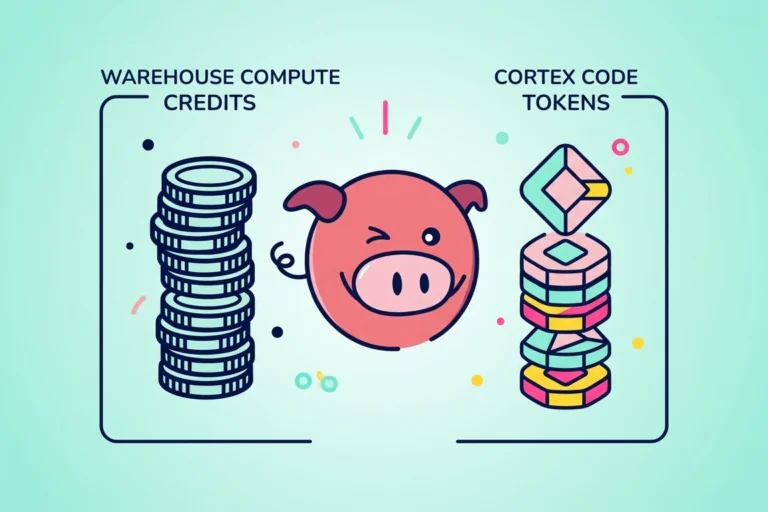
Data engineers rolling out Cortex Code require a single cost view that separates warehouse compute from AI token credits. Snowflake now gives teams dedicated usage history for Cortex Code CLI, Cortex Code in Snowsight, and AI SQL usage, so you can track who used what, when they used it, and which model or function drove the spend.
Heads of data and platform leads need more than a usage chart. They need controls they can explain to finance, guardrails they can set without freezing useful work, and a clean way to tell the difference between a healthy rollout and a runaway bill. Snowflake’s Cortex Code cost controls now support separate rolling 24-hour per-user limits for CLI and Snowsight. Teams can also use budgets for AI features to track shared spend by team or cost center.
By April 2026, Cortex Code had moved from early rollout mode into a real cost-control issue. Snowflake documents Cortex Code as billed by token consumption, and its April billing updates now expose dedicated service types for Cortex Code CLI and Cortex Code in Snowsight.
A strong rollout starts with two habits.
First, measure spend by surface, user, and day from the current usage views.
Second, set user limits before usage spreads across the whole team.
Seemore fits after that first layer. Its positioning centers on end-to-end visibility, owner-level cost attribution, lineage, anomaly detection, and cross-stack cost context from ingestion through BI, which is exactly where native Snowflake views stop.
Teams respond to proof, not slogans. Recent Seemore case studies show named outcomes that matter to platform leads and management: SurveyMonkey cut Snowflake costs by 43% without adding headcount, and Artlist cut costs by 32% while improving runtime.
Cortex Code feels simple when one engineer uses it in a quiet dev environment. Cost gets messy once CLI prompts, Snowsight sessions, and AI SQL all move at once.
A better approach treats Cortex Code like any other production surface. You measure it from the right system views, set caps that match user roles, and give management a report they can read without opening five dashboards.
Table of contents
- Why warehouse-only dashboards miss Cortex Code cost
- Start with current Snowflake views, not stale snippets
- Build a per-user Cortex Code ledger in SQL
- Put hard controls in place before the bill spikes
- Add budgets for team showback and monthly control
- Where Snowflake stops, and Seemore starts
- See the Cortex Code spent by the user, surface, and business owner
Why warehouse-only dashboards miss Cortex Code cost
Most Snowflake cost reviews start with warehouses. Most Cortex Code surprises do not.
Cortex Code spends land in dedicated usage views for CLI and Snowsight, while AI SQL usage lands in CORTEX_AISQL_USAGE_HISTORY. Warehouse views still matter, but QUERY_ATTRIBUTION_HISTORY only tells you the compute cost of a given query on a warehouse. It does not replace the token views. A team that watches only query compute can miss the layer that actually moved the bill.
Management usually feels that gap first. Finance sees a higher bill. Engineering opens warehouse dashboards and sees no dramatic resize, no obvious multi-cluster event, and no loud queue spike. Cortex Code still drove spend, but the signal lives in different views.
A fast first check starts with query-attributed warehouse compute, because it shows what your older warehouse-only dashboard can explain.
SELECT Date_trunc('day', start_time)   AS usage_day,
       Sum(credits_attributed_compute) AS warehouse_query_credits
FROM   snowflake.account_usage.query_attribution_history
WHERE  start_time >= Dateadd(day, -7, CURRENT_TIMESTAMP())
GROUP  BY 1
ORDER  BY 1 DESC;
If that query stays flat while your account bill moves, you now know to check token-based AI usage next.
Start with current Snowflake views, not stale snippets
Old code samples still point teams to older Cortex function monitoring patterns. Fresh SQL for this use case should start with CORTEX_CODE_CLI_USAGE_HISTORY, CORTEX_CODE_SNOWSIGHT_USAGE_HISTORY, and CORTEX_AISQL_USAGE_HISTORY. Snowflake also documents CORTEX_AI_FUNCTIONS_USAGE_HISTORY for detailed telemetry across SQL-invoked AI functions.
The split matters. CLI and Snowsight tell you where engineers used Cortex Code. AI SQL tells you which function, model, query, and warehouse carried usage on the SQL side. That split is exactly what platform owners need when they have to explain whether the bill moved because of interactive engineering, SQL automation, or both.
Start by inspecting raw rows before you build a dashboard.
SELECT usage_time,
       user_id,
       request_id,
       token_credits,
       tokens
FROM   snowflake.account_usage.cortex_code_cli_usage_history
WHERE  usage_time >= Dateadd(day, -7, CURRENT_TIMESTAMP())
ORDER  BY usage_time DESC
LIMIT  50;
SELECT usage_time,
user_id,
request_id,
token_credits,
tokens
FROM snowflake.account_usage.cortex_code_snowsight_usage_history
WHERE usage_time >= Dateadd(day, -7, CURRENT_TIMESTAMP())
ORDER BY usage_time DESC
LIMIT 50;SELECT usage_time,
query_id,
function_name,
model_name,
token_credits,
tokens
FROM snowflake.account_usage.cortex_aisql_usage_history
WHERE usage_time >= Dateadd(day, -7, CURRENT_TIMESTAMP())
ORDER BY usage_time DESC
LIMIT 50;Three pulls like those usually settle the first management question fast. You can now say whether new spend sits in CLI, Snowsight, AI SQL, or a mix.
Build a per-user Cortex Code ledger in SQL
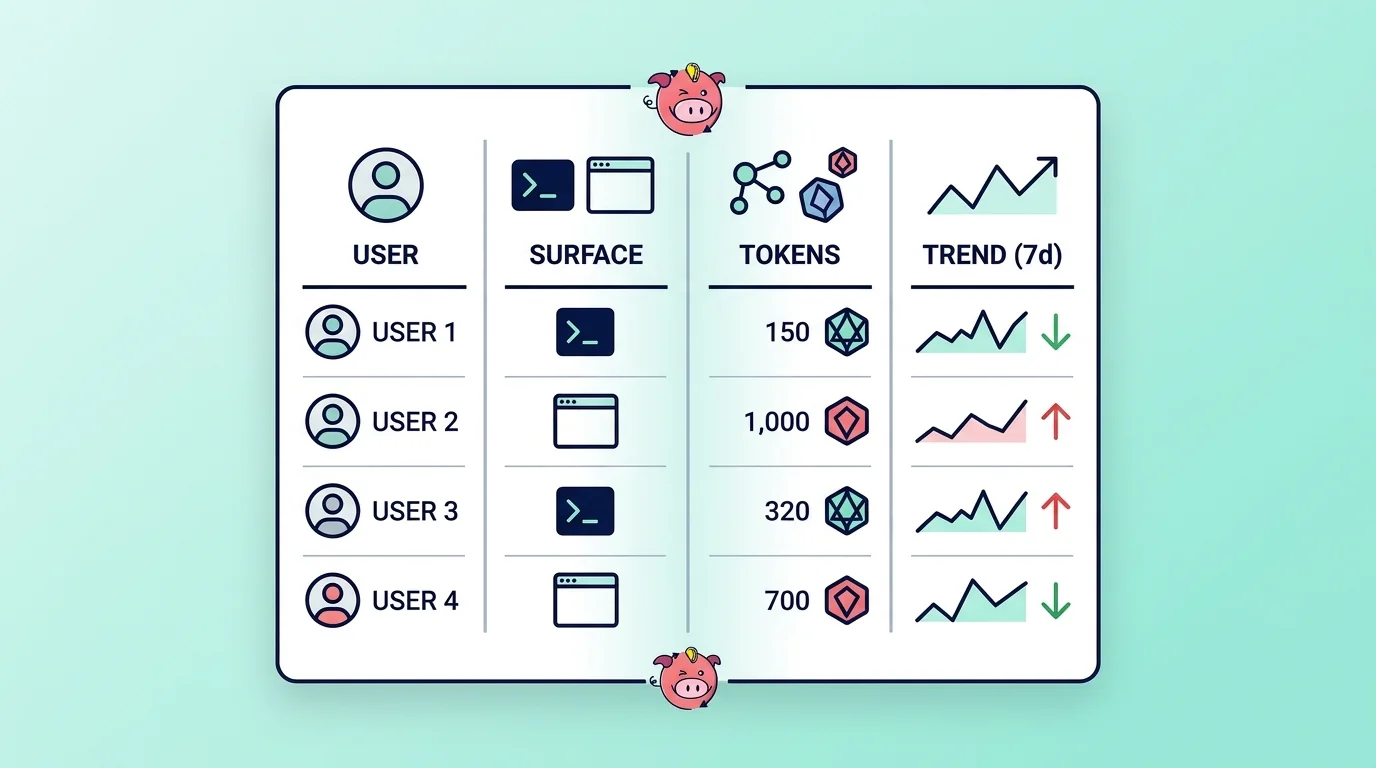
A useful ledger answers four questions without extra cleanup.
- Who used Cortex Code?
- Which surface do they use?
- How much token credit do they burn?
- Did the pattern change this week?
Most teams later join USER_ID to an internal identity table, but the base pattern below already supports ranking, alerting, and showback.
WITH cortex_code_usage
     AS (SELECT Date_trunc('day', usage_time) AS usage_day,
                'CLI'                         AS surface,
                user_id,
                sum(token_credits)            AS token_credits,
                sum(tokens)                   AS tokens
         FROM   snowflake.account_usage.cortex_code_cli_usage_history
         WHERE  usage_time >= Dateadd(day, -30, CURRENT_TIMESTAMP())
         GROUP  BY 1,
                   2,
                   3
         UNION ALL
         SELECT Date_trunc('day', usage_time) AS usage_day,
                'SNOWSIGHT'                   AS surface,
                user_id,
                sum(token_credits)            AS token_credits,
                sum(tokens)                   AS tokens
         FROM   snowflake.account_usage.cortex_code_snowsight_usage_history
         WHERE  usage_time >= Dateadd(day, -30, CURRENT_TIMESTAMP())
         GROUP  BY 1,
                   2,
                   3)
SELECT usage_day,
       surface,
       user_id,
       token_credits,
       tokens
FROM   cortex_code_usage
ORDER  BY usage_day DESC,
          token_credits DESC;
Then turn the same ledger into a simple leaderboard for the last month.
WITH unioned AS
(
         SELECT   Date_trunc('day', usage_time) AS usage_day,
                  user_id,
                  Sum(token_credits) AS token_credits
         FROM     snowflake.account_usage.cortex_code_cli_usage_history
         WHERE    usage_time >= Dateadd(day, -30, CURRENT_TIMESTAMP())
         GROUP BY 1,
                  2
         UNION ALL
         SELECT   Date_trunc('day', usage_time) AS usage_day,
                  user_id,
                  Sum(token_credits) AS token_credits
         FROM     snowflake.account_usage.cortex_code_snowsight_usage_history
         WHERE    usage_time >= Dateadd(day, -30, CURRENT_TIMESTAMP())
         GROUP BY 1,
                  2 )
SELECT   user_id,
         Sum(token_credits) AS credits_30d,
         Sum(
         CASE
                  WHEN usage_day >= Dateadd(day, -7, CURRENT_DATE()) THEN token_credits
                  ELSE 0
         END) AS credits_7d,
         Sum(
         CASE
                  WHEN usage_day >= Dateadd(day, -14, CURRENT_DATE())
                  AND      usage_day < Dateadd(day, -7, CURRENT_DATE()) THEN token_credits
                  ELSE 0
         END) AS prior_7d_credits
FROM     unioned
GROUP BY 1
ORDER BY credits_30d DESC limit 20;
Keep AI SQL separate for one more pass, because model and function mix often explain cost growth faster than raw volume.
SELECT Date_trunc('day', usage_time) AS usage_day,
       Function_name,
       Model_name,
       Sum(token_credits)            AS token_credits,
       Sum(tokens)                   AS tokens
FROM   snowflake.account_usage.cortex_aisql_usage_history
WHERE  usage_time >= Dateadd(day, -30, CURRENT_TIMESTAMP())
GROUP  BY 1,
          2,
          3
ORDER  BY usage_day DESC,
          token_credits DESC;
That ledger gives management one number set they can trust, and it gives engineers enough detail to fix the cause instead of arguing over which dashboard counts as the source of truth.
Put hard controls in place before the bill spikes
Snowflake’s Cortex Code cost controls now support separate rolling 24-hour estimated credit limits for CLI and Snowsight. Account-level settings act as defaults. User-level values override those defaults. Snowflake documents 0 as blocked and -1 as unlimited.
A conservative rollout often starts with one account-level default for each surface, then tighter per-user values for interns, temporary access, or shared accounts that should stay off until someone documents a reason to enable them.
ALTER ACCOUNT
  SET CORTEX_CODE_CLI_DAILY_EST_CREDIT_LIMIT_PER_USER = 20;
ALTER ACCOUNT
  SET CORTEX_CODE_SNOWSIGHT_DAILY_EST_CREDIT_LIMIT_PER_USER = 10;
ALTER USER jsmith
SET CORTEX_CODE_CLI_DAILY_EST_CREDIT_LIMIT_PER_USER = 5;
ALTER USER jsmith
SET CORTEX_CODE_SNOWSIGHT_DAILY_EST_CREDIT_LIMIT_PER_USER = 5;
ALTER USER intern_01
SET CORTEX_CODE_CLI_DAILY_EST_CREDIT_LIMIT_PER_USER = 0;
ALTER USER senior_dev
SET CORTEX_CODE_CLI_DAILY_EST_CREDIT_LIMIT_PER_USER = -1;A policy like that helps both sides. Finance knows a single user cannot torch a monthly plan in one afternoon. Engineering gets room to work inside a boundary that the team has already approved.
Add budgets for team showback and monthly control
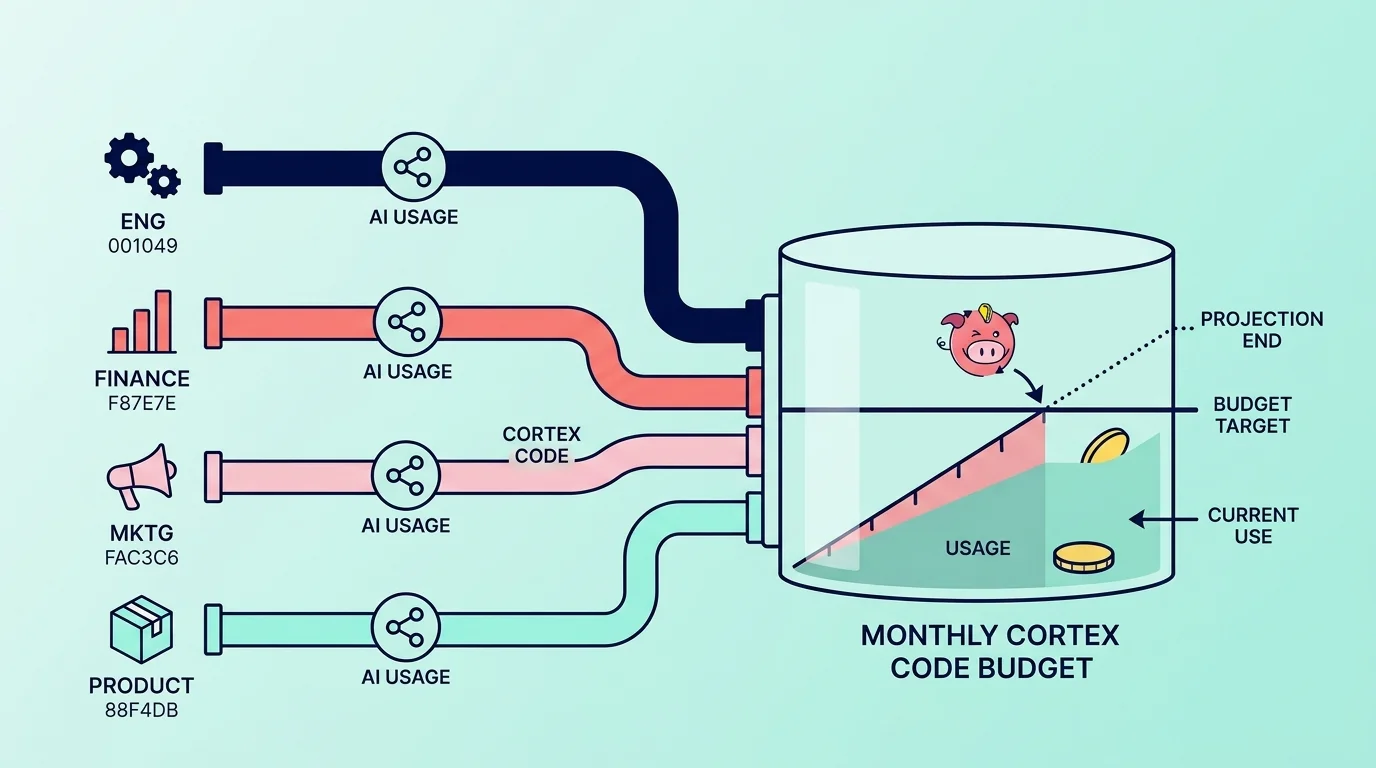
Daily user caps solve a one-person problem. Snowflake budgets for AI features solve a team and a month problem.
Snowflake now lets teams track shared AI resources such as Snowflake Cortex Code, Cortex Agents, AI Functions, and Snowflake Intelligence by business unit or cost center. That matters for management, because monthly showback almost always happens by team, not by individual user. Snowflake’s April 2026 release notes also mark budgets for AI features as generally available.
A simple pattern looks like this after the budget object already exists:
CALL finance_budget!SET_USER_TAGS(['COST_CENTER', 'ENVIRONMENT'], 'UNION');
CALL finance_budget!ADD_SHARED_RESOURCE('CORTEX CODE');
Budgets do not replace daily limits. Budgets help management track drift across the month. Daily limits help engineering stop one bad day.
Where Snowflake stops, and Seemore starts
Snowflake provides native usage history and controls. A head of data still asks a wider question:
- Which pipeline, dashboard, cost domain, or business unit drove the spike?
- Which downstream asset still depends on it?
- Should the team tune, pause, or ignore it?
That is where Seemore’s Data Cost Control, Usage-Based Optimization, and Snowflake Root Cause Anomalies Detection come in. Seemore’s core value proposition centers on cross-stack observability, owner-level cost attribution, and lineage with usage and performance context.
See Cortex Code spend by user, surface, and business owner
Use the native SQL in this post to stand up your first Cortex Code ledger and your first limits.
Then book a deeper review with Seemore through the demo page or the main contact page if your team wants one view that ties Cortex Code cost back to pipelines, dashboards, business ownership, and downstream usage.
FAQ
How do daily Cortex Code credit limits work in Snowflake?
Snowflake lets account administrators set separate rolling 24-hour estimated credit limits for Cortex Code CLI and Snowsight on a per-user basis. Account defaults apply first, and user-level settings override them.
Which Account Usage views matter most for Cortex Code cost?
The three main ones are:
When should a team use budgets instead of daily user limits?
Use daily user limits for fast-moving control over individuals. Use budgets for AI features when management needs a monthly showback by team or cost center.
How does Seemore help after the native Snowflake setup is done?
Seemore connects spend to upstream jobs, downstream dashboards, ownership, and business usage across the wider data stack, which is the gap many teams still have after native Snowflake setup.