

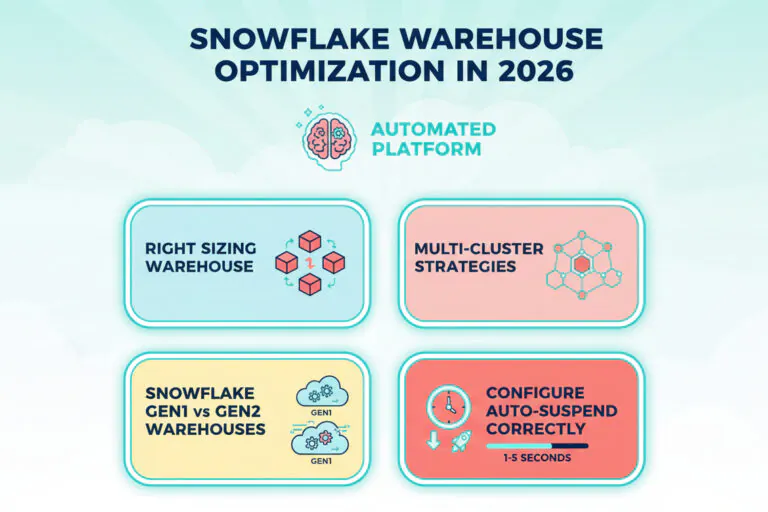
TL;DR: Snowflake warehouse optimization comes down to four levers: size each warehouse to its work (vertical scaling), handle concurrency with multi-cluster warehouses (horizontal scaling), choose Gen1 or Gen2 per workload, and stop paying for idle time with auto-suspend. Because workloads change hour by hour, the settings that are right today drift, so the biggest savings come from keeping them right continuously. Teams that adopt continuous automation to right-size Snowflake warehouses and eliminate idle spend typically reduce costs by 33% on average, and up to 70%.
Warehouses are usually the largest part of a Snowflake bill. This guide covers each lever, the SQL to find where your warehouses waste money, and how to keep them optimized as workloads change. Every fact and figure in this guide was checked against Snowflake’s documentation. It is the warehouse section of our complete guide to Snowflake cost optimization.
What is Snowflake warehouse optimization?
Snowflake warehouse optimization is matching each virtual warehouse’s size, generation, cluster count and suspend setting to the work it actually runs. A warehouse bills for every second it is running, whether or not queries are running on it, with a 60-second minimum each time it starts or resumes. Every setting that is bigger, longer or more generous than the work needs shows up on the bill.
| Lever | What it controls | The waste it removes |
|---|---|---|
| Size (vertical scaling) | Compute per cluster: X-Small to 6X-Large | Paying for a bigger warehouse than the queries need |
| Clusters (horizontal scaling) | How many clusters run at once | Paying for clusters that stay up after the load is gone |
| Generation (Gen1 or Gen2) | Compute generation and price per hour | Paying the Gen2 premium where it does not speed queries up enough |
| Auto-suspend | How long a warehouse waits idle before stopping | Paying for idle minutes after the last query |
1. How to right-size a Snowflake warehouse (vertical scaling)
Use the smallest warehouse that completes your queries without spilling and within your performance targets. Each size up doubles the credits per hour, so a bigger warehouse is only cheaper when queries finish more than twice as fast.
An X-Large running a query for 10 minutes costs the same as a Large running it for 20 minutes: 16 credits per hour x 10 minutes and 8 credits per hour x 20 minutes are both 2.67 credits. The question is whether the bigger size really halves the runtime.
When scaling up saves money
Scaling up often reduces total credits when queries run out of memory and spill to disk. Common signals:
- Remote spilling in QUERY_HISTORY (BYTES_SPILLED_TO_REMOTE_STORAGE greater than 0)
- Long runtimes on large joins, aggregations or CREATE TABLE AS SELECT
- Missed performance targets caused by memory pressure
Example: a Medium warehouse (4 credits per hour) that spills heavily takes 60 minutes, using 4 credits. A Large (8 credits per hour) with no spilling finishes in 25 minutes, using 3.33 credits. The larger warehouse is faster and cheaper.
-- Queries that spilled to remote storage in the last 7 days
SELECT warehouse_name,
       warehouse_size,
       COUNT(*)                                       AS spilling_queries,
       SUM(bytes_spilled_to_remote_storage) / POWER(1024, 3) AS gb_spilled_remote
FROM snowflake.account_usage.query_history
WHERE start_time >= DATEADD(day, -7, CURRENT_TIMESTAMP())
  AND bytes_spilled_to_remote_storage > 0
GROUP BY 1, 2
ORDER BY 4 DESC;
When scaling down saves money
Scaling down saves money when a warehouse is consistently underused: queries do not spill, runtimes barely change on a smaller size, and the warehouse runs few queries at a time.
-- Average running and queued load per warehouse, last 7 days
SELECT warehouse_name,
       AVG(avg_running)     AS avg_running,
       AVG(avg_queued_load) AS avg_queued
FROM snowflake.account_usage.warehouse_load_history
WHERE start_time >= DATEADD(day, -7, CURRENT_TIMESTAMP())
GROUP BY 1
ORDER BY 2;
Move down one size at a time and watch for spilling and queuing. Sizes chosen for a peak often never come back down; see warehouses that never got resized back and vertical scaling in Snowflake.
2. How to handle concurrency with multi-cluster warehouses (horizontal scaling)
When many users or jobs hit one warehouse at the same time, queries queue. A bigger warehouse does not fix that; more clusters do. A multi-cluster warehouse runs extra clusters of the same size while the load lasts, and each running cluster bills at the full rate for its size. Multi-cluster warehouses need Enterprise Edition or higher.
Snowflake offers two scaling policies. STANDARD, the default, adds a cluster as soon as a query queues or Snowflake estimates the running clusters cannot take more queries, and shuts the least-loaded clusters down after a sustained period of low load. ECONOMY adds a cluster only if it estimates there is enough work to keep it busy for at least 6 minutes, and marks a cluster for shutdown when it estimates less than 6 minutes of work is left. Economy queues more and spends less.
The cost risk is on the way down: clusters started for a burst can keep running for minutes after the load has gone. Set MAX_CLUSTER_COUNT to what the workload really needs and review how many clusters actually run.
3. When to use Snowflake Gen2 vs Gen1 warehouses
Gen2 standard warehouses are Snowflake’s newer generation of compute and are the default for new standard warehouses wherever Gen2 is available. They use 1.35 times the credits per hour of Gen1 on AWS and GCP, and 1.25 times on Azure, so they save money only when queries run at least 26% faster on AWS and GCP, or 20% faster on Azure.
Worked example on AWS, Medium warehouse: a job that takes 30 minutes on Gen1 uses 4 x 0.5 = 2 credits.
- If Gen2 finishes it in 18 minutes (40% faster), it uses 5.4 x 0.3 = 1.62 credits: cheaper.
- If Gen2 finishes it in 27 minutes (10% faster), it uses 5.4 x 0.45 = 2.43 credits: more expensive.
Gen2 tends to help DML-heavy work (MERGE, UPDATE, DELETE) and large scans more than small, simple queries. Test it per warehouse, and remember that one warehouse can run both kinds of work at different times of day.
-- Move a warehouse to Gen2 (and back with GENERATION = '1')
ALTER WAREHOUSE transform_wh SET GENERATION = '2';
If you convert a running warehouse, queries already in progress finish on Gen1 and you pay for both sets of compute while they do. See Gen1 vs Gen2 warehouses and our Gen2 cost-performance deep dive.
4. How to configure Snowflake auto-suspend
New warehouses created with SQL suspend after 600 seconds of inactivity, so every burst of queries can be followed by up to 10 minutes of paid idle time. Snowflake recommends a low value, for example 5 or 10 minutes or less, and checks for idle warehouses about every 30 seconds, so settings below 30 seconds may not behave as expected. Each resume is billed for at least 60 seconds, so a very short setting on a warehouse that wakes every couple of minutes can cost more, not less.
The trade-off is cache. A warehouse keeps recently read data in its local disk cache, and that cache is dropped when it suspends, so the first queries after a resume can be slower. Snowflake suggests suspending task warehouses immediately, about 5 minutes for DevOps, DataOps and data science work, and at least 10 minutes for BI and SELECT warehouses that benefit from the cache.
To see how much of each warehouse’s compute went to idle time:
-- Idle credits by warehouse, last 10 days (Snowflake's own example query)
SELECT
  (SUM(credits_used_compute) -
    SUM(credits_attributed_compute_queries)) AS idle_cost,
  warehouse_name
FROM SNOWFLAKE.ACCOUNT_USAGE.WAREHOUSE_METERING_HISTORY
WHERE start_time >= DATEADD('days', -10, CURRENT_DATE())
  AND end_time < CURRENT_DATE()
GROUP BY warehouse_name;
The result is in credits. Multiply by your price per credit to see it in dollars.
Our Snowflake auto-suspend guide covers how to choose the setting for each kind of workload.
5. How to keep Snowflake warehouses optimized
One-time tuning works for a while. Then new data sources arrive, analysts run heavier queries, dashboards change, and the settings drift. A light routine keeps them right:
- Weekly: check idle credits, spilling and queuing per warehouse.
- After every big change: re-test size and generation on the warehouses it touches.
- Monthly: compare each warehouse’s busy hours with its size; many warehouses need one size for peak hours and a smaller one the rest of the day.
Doing this by hand across dozens or hundreds of warehouses, hour by hour, is where most teams stop.
How Seemore automates warehouse optimization
Seemore runs the four levers continuously:
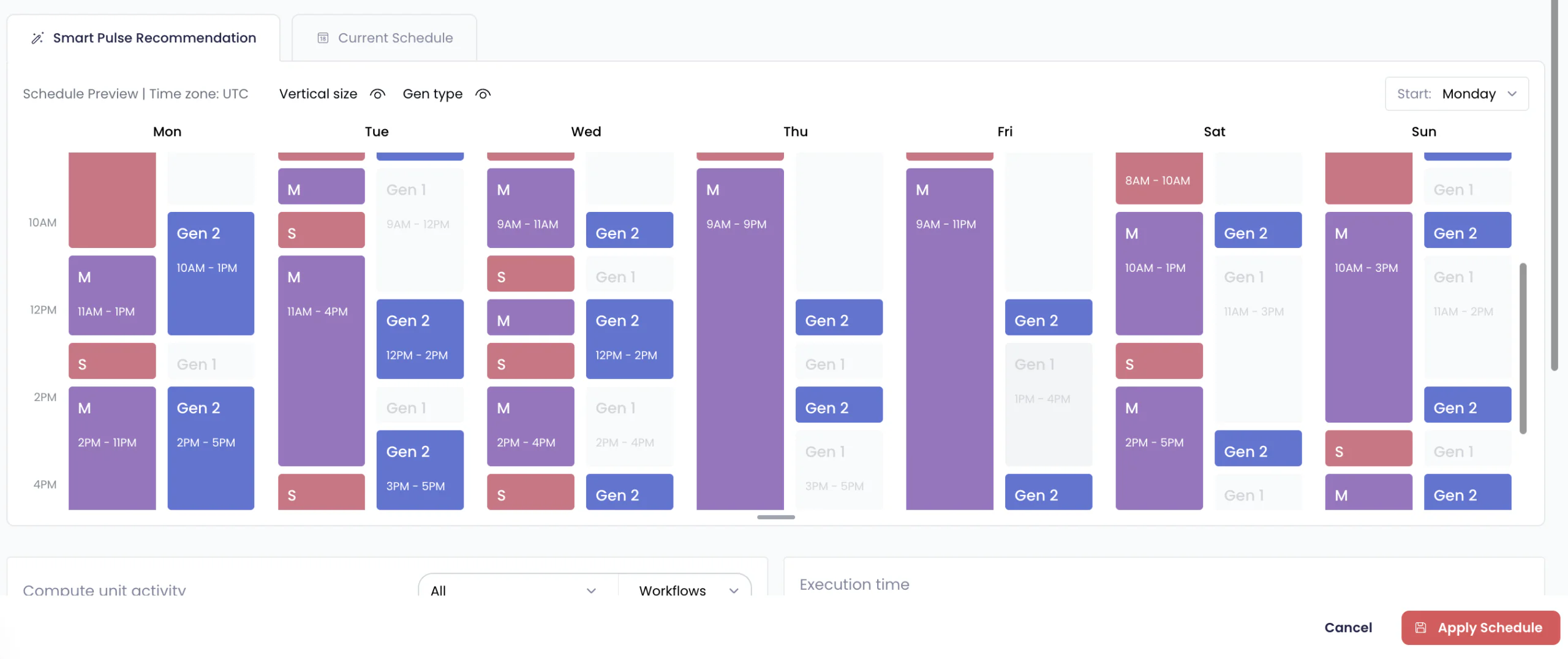
- SmartPulse turns each warehouse’s real usage pattern into an hourly plan: it downsizes through quiet hours, scales back up for recurring peaks, and recommends Gen1 or Gen2 alongside size, so the extra cost of Gen2 is only taken on when it pays for itself. Its Burst Protector scales a warehouse up automatically when load spikes beyond the plan, and back down once load normalizes.
- Auto-Scaler watches multi-cluster warehouses in real time and scales cluster count down the moment extra clusters stop contributing meaningful performance. It never takes capacity from under active work, and never goes below the minimum or above the maximum you set.
- Auto-Shutdown suspends each warehouse the moment it goes idle instead of waiting out a fixed timeout. It never suspends a warehouse with a running or queued query, and never suspends one inside the first minute you have already paid for.
Teams that adopt continuous automation to right-size Snowflake warehouses and eliminate idle spend typically reduce costs by 33% on average, and up to 70%. See the Seemore platform.
Snowflake warehouse guides
- Snowflake auto-suspend
- Gen1 vs Gen2 warehouses
- Snowflake Adaptive Warehouses
- Smart auto-suspend with Auto-Shutdown
- Warehouses that never got resized back
- Snowflake pricing explained

Frequently asked questions
What's the difference between vertical and horizontal warehouse scaling in Snowflake?
Vertical scaling changes a warehouse’s size (X-Small to Small to Medium) to handle bigger, more complex queries. Horizontal scaling adds clusters to handle more queries at the same time.
How do I know if my Snowflake warehouse is oversized or undersized?
Queries spilling to remote storage (BYTES_SPILLED_TO_REMOTE_STORAGE in QUERY_HISTORY) suggest it is too small. Low average load in WAREHOUSE_LOAD_HISTORY, no spilling, and runtimes that barely change on a smaller size suggest it is too big.
When should I use Snowflake Gen2 warehouses instead of Gen1?
When queries run fast enough on Gen2 to cover its higher rate: at least 26% faster on AWS and GCP, where Gen2 costs 1.35 times as much per hour, or 20% faster on Azure, where it costs 1.25 times. It tends to help heavy MERGE, UPDATE and DELETE work and large scans.
What is warehouse spillage in Snowflake?
Spilling happens when a query needs more memory than the warehouse has. Data spills first to the warehouse’s local storage, then to remote storage, which is much slower. Remote spilling is a strong sign the warehouse is too small for that query.
How do Standard and Economy scaling policies affect Snowflake warehouse optimization?
Standard starts a cluster as soon as queries queue, favouring speed. Economy starts one only when there is enough work to keep it busy for at least 6 minutes and shuts clusters down sooner, so it queues more and costs less.
Is automated Snowflake warehouse optimization better than manual tuning?
For changing workloads, yes. Manual tuning sets a warehouse for its average hour; automation such as SmartPulse adjusts size and generation hour by hour as the work changes.


