Intelligent Snowflake Auto Clustering: How to Optimize Auto-Clustering at Scale with AI

TL;DR
Snowflake auto-clustering can dramatically improve query performance — but at scale, it often becomes a guessing game that quietly burns credits. Manual clustering analysis doesn’t keep up with changing query patterns, table growth, and data churn. This post explains when auto-clustering actually pays off, why most teams get it wrong, and how AI-driven analysis continuously evaluates table size, query behavior, cardinality, and costs to optimize clustering decisions across hundreds of Snowflake tables without manual effort.
Snowflake auto clustering decisions haunts every Snowflake data engineer. Define clustering keys, and you’re betting credits on performance gains you can’t guarantee. Skip clustering entirely, and you’re leaving query performance – and money – on the table. This fundamental tension has turned clustering optimization into a high-stakes guessing game.
After analyzing thousands of Snowflake tables, we’ve identified a pattern: teams either over-cluster small tables that don’t need it, or under-cluster massive tables where it would transform performance. The root cause isn’t lack of knowledge – Snowflake’s documentation is excellent – it’s that manual clustering analysis doesn’t scale to hundreds of tables evolving under constantly changing query patterns.
The Clustering Economics Dilemma
Snowflake’s auto-clustering service represents a fundamental trade-off: optimal performance versus ongoing credit consumption. When you define a clustering key and enable automatic clustering, Snowflake continuously reorganizes micro-partitions as data changes, maintaining optimal data distribution. For tables with 250GB+ of active data and selective query patterns, this investment typically delivers 10-50x query speedups.
But here’s what Snowflake won’t tell you explicitly: clustering costs compound with data churn. High-frequency DML operations trigger constant reclustering. Choose a UUID column with millions of unique values, and automatic clustering becomes a credit drain that exceeds query savings. From conversations with 130+ teams struggling with this exact problem, clustering configurations that made sense at implementation now consume a significant share of their compute budget.
The alternative – manual clustering scheduled weekly or monthly – reduces ongoing costs but introduces performance degradation between clustering runs. For tables serving real-time analytics or customer-facing applications, this degradation isn’t acceptable.
Find Your Most Expensive Tables:
set days_back = 30;
with q as (
select
query_id,
bytes_scanned,
partitions_scanned,
partitions_total,
(execution_time + compilation_time) as ms
from snowflake.account_usage.query_history
where start_time >= dateadd(‘day’, -$days_back, current_timestamp())
and execution_status = ‘SUCCESS’
),
q_tables as (
select
*
from snowflake.account_usage.access_history ah,
lateral flatten(input => ah.direct_objects_accessed) t
where ah.query_start_time >= dateadd(‘day’, -$days_back, current_timestamp())
and t.value:”objectDomain”::string = ‘Table’
)
select
qt.object_name,
count(*) as queries,
round(sum(q.bytes_scanned)/power(1024,3), 1) as scanned_gb,
round(avg(q.bytes_scanned)/power(1024,3), 3) as avg_scanned_gb,
round(sum(q.partitions_scanned), 0) as partitions_scanned,
round(avg(q.ms)/1000.0, 2) as avg_seconds
from q
join q_tables qt using (query_id)
group by 1
order by scanned_gb desc
limit 50;
Why Traditional Clustering Approaches Fail at Scale
The standard clustering key selection methodology involves:
- Analyzing QUERY_HISTORY to identify frequently filtered columns
- Testing column combinations with SYSTEM$CLUSTERING_INFORMATION
- Evaluating cardinality to avoid clustering pitfalls
- Estimating costs using SYSTEM$ESTIMATE_AUTOMATIC_CLUSTERING_COSTS
- Implementing keys and monitoring impact
This works brilliantly for 5-10 critical tables. But enterprise Snowflake environments contain hundreds or thousands of tables, with query patterns shifting as teams add dashboards, modify ETL pipelines, and onboard new use cases. Manually re-evaluating clustering decisions quarterly – or even monthly – doesn’t keep pace with these changes.
Worse, the validation step requires deep expertise. Optimal clustering keys balance three competing factors:
- Cardinality sweet spot: High enough to enable meaningful pruning (avoiding boolean flags), low enough to avoid excessive micro-partitions (avoiding UUIDs)
- Query selectivity: Columns used in filters that typically read <20% of table data
- Data stability: Columns that don’t change frequently through UPDATE operations
Getting this balance wrong – clustering on high-churn columns or ignoring actual query patterns – transforms a performance optimization into a cost liability.
The Seemore Approach: AI-Orchestrated Clustering Analysis
Seemore’s auto-clustering recommendation engine inverts the traditional approach. Instead of asking engineers to manually evaluate each table, the system orchestrates Snowflake-native functions through an AI agent, automating the entire analysis pipeline.
What Seemore Auto-Clustering Delivers
Through the Autonomous Warehouse Optimization module, Seemore’s auto-clustering analysis provides three core capabilities:
- Efficiency Audit of Existing Clustered Tables: Evaluates tables already using clustering keys to determine if they’re delivering ROI, should be optimized with different keys, or have clustering removed entirely due to changed workload patterns.
- Discovery of New Clustering Opportunities: Automatically identifies high-value candidates among unclustered tables by correlating table size, query patterns, and pruning efficiency – recommending clustering keys with forecasted cost and performance impact.
- Continuous Monitoring and Proactive Alerts: Tracks clustering health over time, detecting degradation, cost anomalies, and query pattern shifts before they impact performance – ensuring clustering configurations remain optimal as workloads evolve.
Unlike one-time analysis tools, Seemore’s Proactive AI Agent continuously analyzes your environment using Deep Lineage & Impact Analysis to show which teams, dashboards, and business processes will benefit from each optimization.
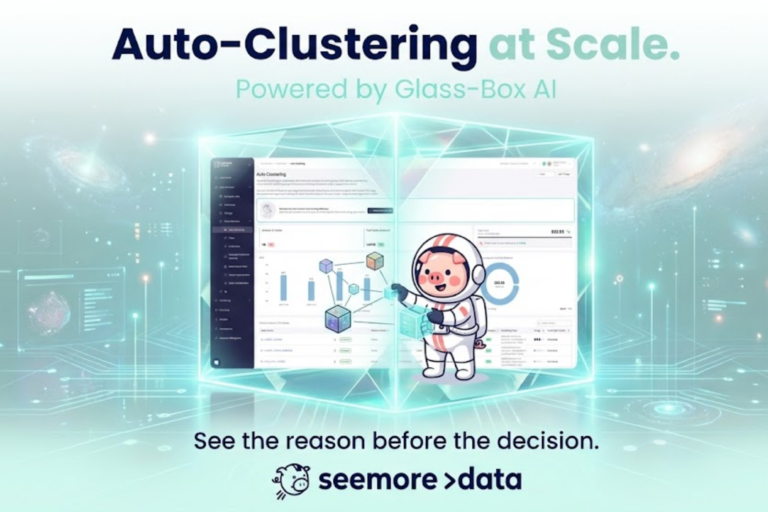
The Seemore platform displays clustering efficiency scores, cost forecasts, and ROI projections across all candidate tables, enabling data teams to prioritize optimizations with the highest business impact.
Seemore Auto-Clustering in Action (3-min walkthrough):
How It Works: The Three-Phase Analysis Pipeline
Seemore orchestrates Snowflake-native functions through an AI agent, automating the entire clustering validation workflow that traditionally requires weeks of manual analysis.
Phase 1: Intelligent Candidate Filtering
The agent scans your entire Snowflake environment, but focuses effort where it matters:
Size-Based Qualification: Analyzes ACTIVE_BYTES in TABLE_STORAGE_METRICS, filtering for tables >250GB. Smaller tables rarely justify clustering overhead – natural insertion-order clustering typically suffices.
Current Efficiency Assessment: Calculates pruning efficiency using query execution metadata. If a table already achieves >80% partition pruning without explicit clustering keys, the agent skips it. No need to optimize what’s already working.
Usage Pattern Mining: Queries QUERY_HISTORY to identify columns frequently appearing in WHERE clauses and JOIN predicates. This isn’t generic analysis – the agent weights by query frequency and credit consumption, prioritizing optimizations that impact the most expensive workloads.
Lineage Mapping: Identifies top producers (writers) and consumers (readers) for each candidate table. Clustering decisions affect multiple teams differently; this metadata enables impact-aware recommendations.
Phase 2: Deep Cardinality Validation
Here’s where Seemore’s approach diverges from manual methods. For each promising column combination, the agent uses SYSTEM$CLUSTERING_INFORMATION to generate clustering quality scores, but with sophisticated cardinality analysis:
High-Cardinality Detection: A UUID column with 1M+ unique values creates excessive micro-partition fragmentation. The agent automatically flags these and suggests expression-based alternatives (e.g., SUBSTR(uuid, 1, 8)) that reduce cardinality while preserving pruning effectiveness.
Low-Cardinality Elimination: Boolean columns or status fields with 2-5 distinct values provide minimal pruning benefit. The agent excludes these from primary key positions but may include them as secondary clustering dimensions when combined with higher-cardinality columns.
Optimal Combination Search: Rather than testing linear combinations, the agent evaluates multi-column permutations considering hierarchical clustering behavior. The order matters significantly – (date, customer_id) performs differently than (customer_id, date) for most workloads.
The validation leverages average_depth and average_overlaps from the clustering information function, targeting configurations with depth <30 and minimal overlap across micro-partitions.
Phase 3: Cost-Benefit Quantification
The final step answers the critical question: will performance gains exceed clustering costs?
Using SYSTEM$ESTIMATE_AUTOMATIC_CLUSTERING_COSTS, the agent forecasts:
- Initial clustering expense: One-time credit consumption to establish optimal micro-partition organization
- Maintenance cost: Ongoing daily credit consumption based on recent DML patterns
Importantly, the agent compares these costs against current query performance metrics. A table consuming 500 credits monthly in query compute might justify 100 credits monthly in clustering maintenance if it reduces query scanning by 80%. A table with 10 credits monthly in query costs likely doesn’t justify any clustering investment.
How to track clustering costs:
— Measure what you’re currently spending on automatic clustering
— Compare these costs against your query savings to determine ROI
SELECT
DATE_TRUNC(‘day’, start_time) AS day,
database_name,
schema_name,
table_name,
SUM(credits_used) AS daily_clustering_credits,
SUM(num_bytes_reclustered) / (1024*1024*1024) AS gb_reclustered,
SUM(num_rows_reclustered) AS rows_reclustered
FROM snowflake.account_usage.automatic_clustering_history
WHERE start_time >= DATEADD(month, -1, CURRENT_TIMESTAMP())
GROUP BY day, database_name, schema_name, table_name
ORDER BY day DESC, daily_clustering_credits DESC;
— Calculate monthly totals
SELECT
table_name,
SUM(credits_used) AS monthly_clustering_credits,
SUM(credits_used) * 3.00 AS estimated_monthly_cost_usd — Adjust for your credit price
FROM snowflake.account_usage.automatic_clustering_history
WHERE start_time >= DATEADD(month, -1, CURRENT_TIMESTAMP())
GROUP BY table_name
ORDER BY monthly_clustering_credits DESC;
Continuous Optimization Loop
Unlike one-time manual analysis, Seemore’s agent runs continuously, detecting:
- Query pattern shifts: New dashboards or modified ETL introducing different filtering columns
- Data growth inflection points: Tables crossing size thresholds where clustering becomes cost-effective
- Performance degradation: Increasing clustering depth indicating keys need adjustment or DML patterns have changed
- Cost anomalies: Clustering maintenance costs exceeding expected ranges due to unexpected data churn
This proactive monitoring prevents the common scenario where clustering configurations optimized 6 months ago now waste credits on outdated assumptions.
Technical Deep Dive: Cardinality Considerations
Understanding cardinality boundaries requires examining how Snowflake organizes data within micro-partitions.
Each micro-partition stores metadata including:
- Min/max values for each column
- Number of distinct values
- Null count
Query pruning works by comparing filter predicates against this metadata. A filter like WHERE event_date = ‘2025-01-05’ allows Snowflake to skip any micro-partition where max(event_date) < ‘2025-01-05’ OR min(event_date) > ‘2025-01-05’.
Cardinality Impact on Pruning:
- Too Low (<10 distinct values): A status column with [‘active’, ‘inactive’, ‘pending’] might split data into just 3-4 major groups. Queries filtering on status still scan 25-30% of micro-partitions because many partitions contain multiple status values.
- Optimal Range (100-10,000 distinct values): A date column covering 3 years provides ~1,000 distinct values. Combined with typical date-range filters, this enables aggressive pruning – queries scanning just 1-5% of micro-partitions.
- Too High (>100,000 distinct values): A user_id column with 5M unique values creates excessive fragmentation. Each micro-partition contains many distinct user IDs, so user-based filters prune poorly unless you implement expression-based clustering like HASH(user_id) % 1000 to create artificial groupings.
Check table clustering health:
— Check clustering health for a single table
— Note: This requires manual interpretation and doesn’t scale to hundreds of tables
SELECT
PARSE_JSON(SYSTEM$CLUSTERING_INFORMATION(‘your_database.your_schema.your_table’))
AS clustering_info;
— Key metrics to review in the JSON output:
— “average_depth”: <30 is good, >80 indicates poor clustering
— “average_overlaps”: Lower is better, high values mean excessive partition overlap
— “total_constant_partition_count”: Higher is better, indicates stable clustering
— “partition_depth_histogram”: Shows distribution of overlap across partitions
— Estimate clustering costs before implementing
SELECT
PARSE_JSON(
SYSTEM$ESTIMATE_AUTOMATIC_CLUSTERING_COSTS(
‘your_database.your_schema.your_table’,
‘(your_column_1, your_column_2)’ — Test different column combinations
)
) AS cost_estimate;
— Review the output for:
— “initial”: One-time cost to establish clustering
— “maintenance”: Ongoing daily maintenance cost based on DML patterns
The official Snowflake documentation provides SYSTEM$CLUSTERING_INFORMATION for testing these scenarios before implementation.
Real-World Implementation: Avoiding Common Pitfalls
Based on hundreds of clustering implementations, here are failure modes to avoid:
Pitfall 1: Over-Clustering ETL Tables
Staging tables that exist temporarily during ETL don’t need clustering keys. If data arrives, gets transformed, and is written elsewhere within hours, clustering consumes credits with zero query benefit.
Pitfall 2: Ignoring DML Patterns
A table with perfect query patterns for clustering but receiving 10,000 UPDATE operations daily will trigger constant reclustering. Cost estimation must account for this churn – SYSTEM$ESTIMATE_AUTOMATIC_CLUSTERING_COSTS requires 7 days of DML history for accurate maintenance cost forecasting.
Pitfall 3: Wrong Column Order in Multi-Column Keys
CLUSTER BY (high_cardinality_col, low_cardinality_col) performs worse than the reverse for queries filtering only on the low-cardinality dimension. Analyze your actual query patterns – if 80% filter on region and 20% filter on transaction_id, prioritize region first despite lower cardinality.
Pitfall 4: Static Clustering Decisions
Query patterns evolve. A table clustered for operational reporting may shift toward analytical queries as the team builds ML features. Quarterly clustering review – either manual or automated – prevents optimization decay.
Measuring Success: Key Performance Indicators
After implementing clustering recommendations, monitor these metrics:
Partition Pruning Efficiency: Track partitions_scanned / partitions_total in query profiles. Well-clustered tables with selective queries should achieve >95% pruning.
Query Performance Delta: Compare P50/P95 query latency before and after clustering. Expect 5-20x improvements for tables with good clustering candidates.
Clustering Cost ROI: Calculate (query_cost_savings – clustering_maintenance_cost) / clustering_maintenance_cost. Positive ROI above 200% indicates strong candidates; below 100% suggests reconsidering the clustering strategy.
Clustering Depth Stability: Monitor average_depth from SYSTEM$CLUSTERING_INFORMATION over time. Increasing depth indicates DML patterns degrading clustering faster than automatic maintenance can compensate.
The Future of Clustering: From Reactive to Predictive
Current clustering approaches – even AI-orchestrated ones – remain fundamentally reactive. They analyze historical query patterns and current table states to recommend optimizations.
The next evolution involves predictive clustering: anticipating future query patterns based on user behavior, scheduled workload changes, and seasonal data growth patterns. ML models trained on years of query history could forecast when specific tables will benefit from clustering before performance degradation becomes visible to end users.
Seemore’s roadmap includes this predictive layer, automatically implementing clustering changes during low-usage windows before monthly reporting cycles or known analytical periods drive query volume spikes.
Getting Started: Implementation Framework
For teams looking to implement intelligent clustering:
- Baseline Current State: Run SYSTEM$CLUSTERING_INFORMATION on your 20 largest tables without explicit clustering keys to understand natural clustering quality
- Identify High-Value Candidates: Query QUERY_HISTORY joined with TABLE_STORAGE_METRICS to find tables with:
- Size >250GB
- Frequent queries (>100 daily)
- High credit consumption
- Query patterns with selective filters
- Test Top 3 Candidates: For your highest-priority tables, manually test clustering recommendations using SYSTEM$ESTIMATE_AUTOMATIC_CLUSTERING_COSTS to validate ROI before implementation
- Implement Monitoring: Create dashboards tracking pruning efficiency, query performance, and clustering costs for tables with defined keys
- Scale with Automation: Once you’ve validated the approach on 3-5 tables, deploy automated analysis across your full table inventory
Conclusion: Clustering at Scale Requires Automation
Manual clustering analysis works for organizations with 10-20 critical tables and stable query patterns. But modern data platforms contain hundreds of tables with evolving workloads, making manual optimization unsustainable.
AI-orchestrated clustering analysis – running Snowflake-native functions through intelligent agents – scales this expertise across entire environments. By continuously monitoring size thresholds, query patterns, cardinality characteristics, and cost dynamics, automated systems deliver clustering recommendations that match or exceed what senior data engineers produce manually, but across far more tables and with proactive updates as conditions change.
The question isn’t just whether to cluster – it’s whether to cluster intelligently, with data-driven recommendations that balance performance gains against credit consumption at enterprise scale.
That’s where we come in – Seeemore’s AI auto-clustering prevent hours of manual analysis and automate the entire analysis pipeline, at scale. To see how it works book a quick meeting with our data expert.

Frequently Asked Questions
Q: How do I know if my table needs clustering?
A: Tables benefit from clustering when they meet three criteria: (1) Size >250GB active data, (2) Queries with selective filters that scan <20% of data logically but more physically, (3) High query frequency (>100 queries/month). Use the SQL in Phase 1 to identify candidates automatically.
Q: What’s the difference between automatic and manual clustering?
A: Automatic clustering (enabled via ALTER TABLE … CLUSTER BY) runs continuously in the background, maintaining optimal micro-partition organization as data changes. Manual clustering requires periodic execution of reclustering commands and allows the table to degrade between runs. For production tables with consistent query patterns, automatic clustering typically delivers better ROI despite higher costs.
Q: How do I calculate clustering ROI?
A: Compare monthly clustering maintenance costs (from AUTOMATIC_CLUSTERING_HISTORY) against query cost reductions. Measure baseline query credits for 30 days pre-clustering, implement clustering, then measure post-clustering query credits. Subtract ongoing clustering maintenance from query savings to get net benefit. Target ROI >200% for strong candidates.
Q: Can I cluster on high-cardinality columns like user_id?
A: Not directly – high-cardinality columns (>100K distinct values) create excessive fragmentation. Instead, use expression-based clustering to reduce cardinality while preserving pruning benefits: CLUSTER BY (TO_DATE(timestamp), HASH(user_id) % 1000). This creates 1,000 user buckets instead of millions of individual user partitions.
Q: How often should I review clustering configurations?
A: Quarterly reviews work for stable workloads. However, implement automated monitoring (see KPI dashboard SQL) to detect degradation earlier. Significant events requiring immediate review: (1) Major query pattern shifts, (2) Table growth >3x, (3) Clustering maintenance costs increasing >50%, (4) Average clustering depth increasing >30 from baseline.
Q: What’s the relationship between clustering and Search Optimization Service?
A: Clustering optimizes macro-level data organization for range-based filters, while Search Optimization Service creates point-lookup indexes for equality filters. Use clustering for date ranges and time-based analysis; use Search Optimization for specific value lookups like WHERE user_id = ‘ABC123’. They’re complementary – many tables benefit from both.