Stop Running Extra Clusters Nobody Needs
Multi-cluster warehouses scale out fast when demand shows up – that’s the point. But most scaling policies are much slower to scale back in, so extra clusters keep running well after the load that justified them is gone. That gap is pure multi-cluster idle spend – that can easily be saved.
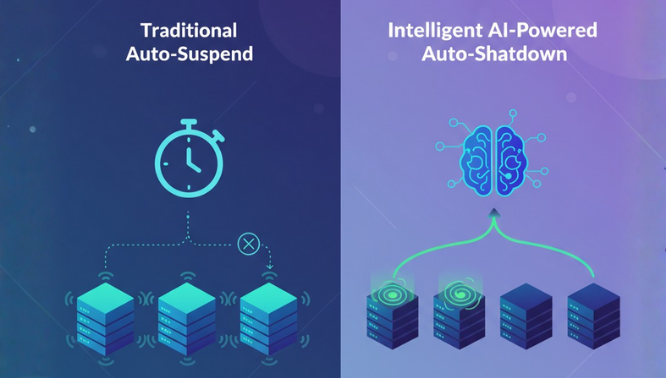
Idle time – a warehouse or a cluster running with nothing to do – typically adds up to 8-20% of total Snowflake compute spend. Auto-Shutdown recovers that on single warehouses; Auto-Scaler recovers the same kind of waste one level down, inside a multi-cluster warehouse that’s already running. Seemore Data’s Auto-Scaler continuously watches your multi-cluster warehouses in real time and scales cluster count down the moment the extra capacity stops earning its keep – without ever touching a running query, and without you writing a scaling policy.


Extra clusters are the least visible waste in a multi-cluster warehouse, because Snowflake’s own scaling policies are built to protect performance, not cost.
- Continuously evaluates your multi-cluster warehouse against real-time query load, not a fixed schedule
- Scales cluster count down the moment additional clusters stop contributing meaningful performance value
- Pair it with Auto-Shutdown, and the two cover both sides of multi-cluster waste: Auto-Shutdown eliminates idle warehouses, Auto-Scaler eliminates idle clusters within a running one

Auto-Scaler only scales in when it’s actually safe to – every check runs before a single cluster comes down.
- Scaling is paused while queries are actively running – it never pulls capacity out from under active workloads
- A cluster must be up for at least a minute before it’s considered for scale-in
- Cluster count never drops below the minimum, or rises above the maximum, you’ve configured – your bounds are always respected

No scaling policy to write, no thresholds to tune, no ongoing babysitting.
- Apply it globally to every multi-cluster warehouse, or turn it on per warehouse – your choice
- Once activated, Seemore continuously monitors each warehouse and adjusts cluster count based on load – no further input needed
- Requires only the standard MANAGE WAREHOUSES privilege to set up, with no separate configuration step per warehouse beyond turning it on

Automation you can see is automation you can trust – every adjustment is measured, not just assumed.
- Real-time monitoring shows exactly what Auto-Scaler is doing right now – current cluster count against live query load
- The dashboard shows Auto-Scaler’s potential and captured savings at the account level, alongside your other automations