Compute Cost
What Snowflake Compute Cost Means?
Compute cost in Snowflake refers to the credits consumed by Virtual Warehouses when they execute work.
Work includes:
- Running SQL queries
- Loading and unloading data
- Refreshing materialized views
- Executing tasks and streams
- Powering BI dashboards and automated jobs
Storage sits separately. Network egress sits separately.
Compute cost moves fast, scales instantly, and usually causes budget surprises.
Because Snowflake decouples compute from storage, teams spin warehouses up freely. And because billing runs per-second, cost quietly accumulates across teams, tools, and forgotten workloads.
How Snowflake Charges for Compute
Snowflake charges compute usage in credits per second, with a 60-second minimum per warehouse start.
The actual cost depends on three variables:
- Warehouse size
- Runtime
- Concurrency and clustering behavior
Warehouse Size and Credit Rates
Each warehouse size consumes credits at a fixed hourly rate:
| Warehouse Size | Credit per Hour |
| X Small | 1 |
| Small | 2 |
| Medium | 4 |
| Large | 8 |
| X-Large | 16 |
| 2X-Large | 32 |
| 3X-Large | 64 |
| 4X-Large | 128 |
A Large warehouse running for 10 minutes consumes roughly 1.33 credits.
Multiply that by dozens of dashboards and hundreds of queries, and cost escalates fast.
What Actually Drives Compute Cost
Query Behavior
Long-running queries, poor joins, missing filters, and large scans inflate runtime.
Concurrency adds pressure. When multiple queries run together, Snowflake may spin up additional clusters if multi-cluster mode stays enabled.
Warehouse Configuration
Auto-suspend delays, oversized warehouses, and always-on BI warehouses create silent spend.
Multi-cluster settings amplify cost during spikes, even when spikes come from inefficient queries.
BI and Reverse ETL Tools
Dashboards polling every minute, background syncs, and automated extracts generate constant compute usage.
Most teams underestimate how much BI traffic costs until finance asks.
Tasks, Streams, and Background Jobs
Scheduled tasks often run more frequently than needed. Streams accumulate changes that trigger downstream work. Each execution burns compute.
Common Compute Cost Traps
Oversized Warehouses
Teams default to Medium or Large warehouses for safety. Query speed improves slightly. Cost multiplies.
Always-On Warehouses
Auto-suspend set too high or disabled entirely leads to idle warehouses billing continuously.
Hidden BI Load
Dashboards refresh whether anyone looks at them or not. Each refresh runs queries.
Orphaned Workloads
Deprecated pipelines, unused tables, and abandoned experiments keep running quietly.
How to Measure Compute Cost in Snowflake
Snowflake exposes compute usage through:
WAREHOUSE_METERING_HISTORYQUERY_HISTORYTASK_HISTORYMETERING_HISTORY
These views show credits consumed, execution times, and warehouse activity.
But raw data alone does not answer:
- Which team caused the cost
- Which dashboard triggered the query
- Which business outcome justified the spend
That gap forces manual analysis and guesswork.
Compute Cost vs Performance Tradeoffs
Smaller warehouses reduce cost but may increase queueing.
Larger warehouses reduce runtime but raise per-second spend.
Multi-cluster mode improves concurrency but multiplies cost during peaks.
The goal is not maximum speed. The goal is predictable performance at controlled cost.
Right-sizing requires understanding:
- Query impact
- User behavior
- Business-critical SLAs
Best Practices for Reducing Compute Cost
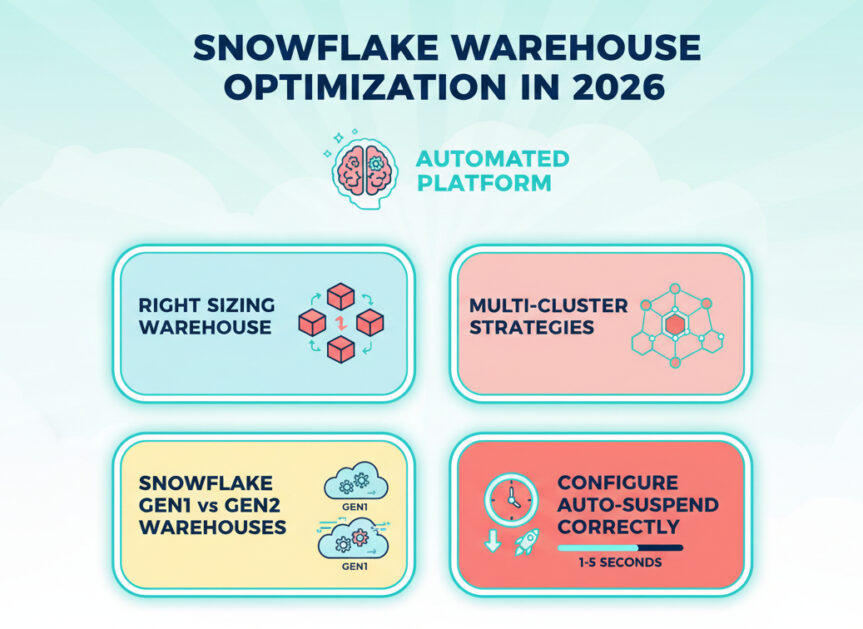
Right-Size Warehouses
Start small. Scale up only where latency truly matters.
Aggressive Auto-Suspend
Set auto-suspend to 60 seconds or less for non-critical workloads.
Separate Workloads
Isolate BI, ETL, ad-hoc analysis, and data science into separate warehouses.
Monitor Query Patterns
Identify queries that scan excessive data or run too frequently.
Reduce Refresh Frequency
Many dashboards update far more often than users consume.
Why Compute Cost Becomes a FinOps Problem
Snowflake invoices aggregate credits at the account level.
Finance sees totals. Engineering sees queries. Leadership sees surprises.
Without cost attribution:
- Engineers optimize blind
- Managers argue about blame
- Finance enforces blunt limits
Compute cost needs ownership, context, and accountability.
How SeemoreData Fits In
SeemoreData adds cost context to Snowflake compute usage.
Teams use SeemoreData to:
- Attribute compute cost to queries, dashboards, users, and teams
- Detect anomalies in warehouse behavior
- Identify idle, oversized, or misused warehouses
- Understand the cost impact of performance changes before applying them
Instead of reacting to invoices, teams manage compute proactively.
Compute Cost vs Storage Cost
Compute:
- Variable
- Spiky
- User-driven
- Optimization-heavy
Storage:
- Predictable
- Gradual
- Easier to forecast
Most Snowflake savings come from compute, not storage.
Key Takeaways
- Compute cost equals credits consumed by warehouses
- Every query, task, and dashboard contributes
- Misconfiguration causes silent waste
- Visibility determines control
- Attribution turns cost from a problem into a decision