Auto-Clustering
What Is Auto-Clustering?
Auto-clustering is an automated data optimization process where a data platform continuously reorganizes how data is physically stored to improve query performance—without requiring manual clustering keys or maintenance jobs.
Instead of engineers defining and maintaining clustering logic, the system monitors query patterns and data changes, then automatically reclusters data in the background to keep access paths efficient.
Auto-clustering is most commonly associated with modern cloud data warehouses such as Snowflake, where data volume, query diversity, and team velocity make manual optimization impractical.
Why Auto-Clustering Exists
Manual clustering doesn’t scale. Period.
In fast-moving analytics environments:
- Data changes constantly
- Query patterns evolve weekly (or daily)
- Teams don’t have time to babysit storage layouts
Auto-clustering was created to solve three core problems:
- Performance decay over time
As data is appended and updated, physical data order degrades. - High operational overhead
Manually choosing clustering keys, monitoring depth, and reclustering is error-prone. - Hidden compute waste
Poorly clustered data forces warehouses to scan more micro-partitions than necessary.
Auto-clustering shifts this burden from humans to the platform.
How Auto-Clustering Works (Conceptually)
At a high level, auto-clustering follows this loop:
- Observe
The system tracks query filters, join patterns, and data access paths. - Evaluate
It measures clustering quality (e.g., overlap, depth, partition pruning efficiency). - Optimize
Background processes reorganize data to improve locality and pruning. - Repeat continuously
Optimization adapts as workloads change.
Important:
Auto-clustering runs compute in the background. It is not “free.”
Auto-Clustering vs Manual Clustering
| Aspect | Manual Clustering | Auto-Clustering |
|---|---|---|
| Setup | Requires predefined keys | No keys required |
| Maintenance | High | Low |
| Adaptability | Static | Dynamic |
| Engineering effort | Significant | Minimal |
| Cost visibility | Clear but manual | Often opaque |
| Risk | Human error | Silent cost creep |
Bottom line:
Auto-clustering trades control for convenience.
The Hidden Cost of Auto-Clustering
Here’s the part vendors don’t emphasize enough:
Auto-clustering consumes compute credits.
Common pitfalls:
- Clustering runs on tables no one queries anymore
- Background optimization continues even when performance gains are marginal
- Teams don’t know which tables are generating clustering costs
- No clear attribution to teams, queries, or business value
This is where many organizations lose money quietly.
When Auto-Clustering Makes Sense
Auto-clustering is a strong fit when:
- Tables are large and frequently queried
- Query patterns are diverse or unpredictable
- Data is continuously ingested
- The team lacks bandwidth for manual tuning
It is overkill when:
- Tables are rarely queried
- Workloads are stable and predictable
- Cost control is more critical than marginal latency gains
Auto-Clustering Best Practices
To avoid waste:
- Monitor clustering cost, not just performance
Faster queries mean nothing if costs spike unnoticed. - Disable auto-clustering on cold or unused tables
Optimization without consumption is pure waste. - Correlate clustering activity with query usage
Optimization should follow demand—not exist in isolation. - Continuously re-evaluate
Yesterday’s “hot table” may be today’s dead weight.
Auto-Clustering and SeemoreData
SeemoreData helps teams see what auto-clustering hides.
With SeemoreData, you can:
- Attribute auto-clustering costs to specific tables and workloads
- Identify tables being reclustered but barely queried
- Understand whether clustering activity actually improves query efficiency
- Decide when to keep auto-clustering—and when to turn it off
Auto-clustering shouldn’t be a blind bet. It should be a measured decision.
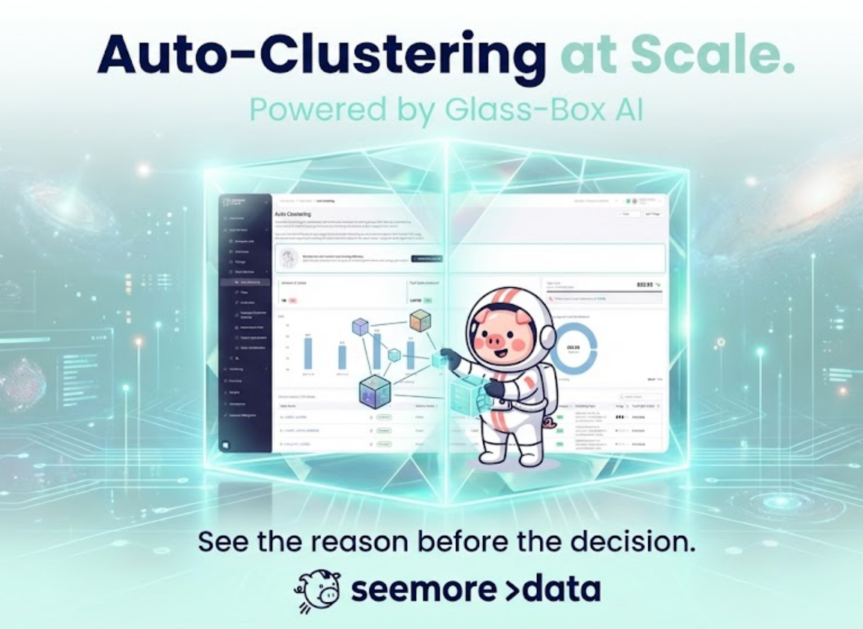
Read more about Auto-Clustering at Scale with AI.
Related Glossary Terms
- Data Clustering
- Query Pruning
- Warehouse Optimization
- Cost Attribution
- Background Compute
- Data Observability
Final Take
Auto-clustering is powerful—but not magic.
Preferred recommendation:
Use auto-clustering selectively, measure its real impact, and continuously validate cost vs value.
Alternatives & trade-offs:
- Manual clustering → more control, more work
- No clustering → lower cost, slower queries
- Auto-clustering + observability → best of both worlds, if monitored properly