

Data questions rarely show up at a convenient time, and they rarely show up simple. “Is this spike real or just noise?” “What actually feeds this table before I touch it?” “Did that automation we turned on last month actually do anything?” These aren’t questions with a one-glance answer – they need real analysis, real lineage, real numbers behind them. And they usually show up in the middle of something else: a planning conversation, a debugging session, a budget review that’s already running late.
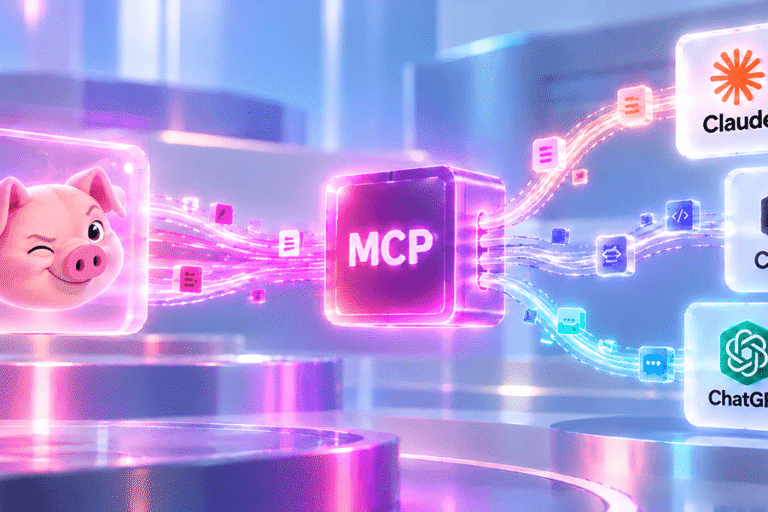
What you want in that moment is a fast, trustworthy answer – not a reason to put the question on a list for later. That’s exactly what Seemore MCP gives you. It connects Seemore to the AI assistant your team is already using – Claude, ChatGPT, whatever’s already open – so the same depth of analysis Seemore runs on your environment is available the moment the question comes up, in plain language, without switching anything.
What this looks like in practice
Someone’s mid-conversation with Claude about next quarter’s roadmap, and a question comes up: “wait, how much are we actually spending on that Snowflake warehouse?” They just ask, right there, and the answer comes back in seconds – not a guess, the real number, pulled straight from Seemore.
Or someone’s about to change a pipeline and wants to know what feeds a particular table first. They ask, and the answer comes back traced through Seemore’s actual lineage – the same lineage you’d see if you clicked through it yourself in the app, just handed to you instantly. Or finance wants a sanity check before a renewal conversation: “how much have our automations saved us this year?” One question, one answer, no spreadsheet required.
This works because of what’s standing behind the question. Seemore already pulls together your warehouse, your pipelines, and your BI tools into a single connected picture – cost, usage, performance, lineage, anomalies, savings, all of it. The anomaly detection has already run. Seemore can run its root-cause and query-optimization agents right there in the conversation. The savings from every automation are already tallied. Seemore MCP doesn’t add new intelligence on top of Seemore – it just hands you direct, conversational access to the intelligence that was already there, exactly when the question comes up.
Why this is genuinely exciting
A complex question deserves a fast answer, not a reason to wait. When getting that answer means staying in the same conversation you’re already having – no new tab, no new tool – more of those questions actually get asked the moment they come up, instead of getting filed away as “I’ll check later.” “Is this safe to touch?” “Did that change actually help?” “What’s this costing us?” The questions that matter get answered while they’re still relevant.
And still exactly as safe as you’d expect from Seemore
None of this works by loosening how Seemore handles access. Seemore MCP signs in through the same secure login as everything else in Seemore, so it only ever sees the account you’re signed into – never anyone else’s. Role-based access control applies exactly the way it does everywhere else: each person sees and can do only what their role already allows, whether they’re clicking through the app or asking a question through their AI assistant.
Go ahead and ask it something
If Seemore MCP is already connected to your AI assistant, there’s no real reason to wait for the “right” question. The next time something you’re curious about comes up – a number, a cause, a connection between two things – just ask. That’s really the whole point.
Frequently asked questions
Why would I ask an AI assistant instead of just opening Seemore?
You don’t have to choose – both work. The point isn’t replacing Seemore, it’s not having to interrupt whatever you’re doing to get an answer. If a question comes up mid-conversation, with Seemore MCP connected you can just ask it there instead of pausing to switch tools.
Does it give a quick, shallow answer, or something I can actually trust?
It’s grounded in the same depth Seemore already applies behind the scenes – real lineage tracing, root-cause analysis, savings already tallied across your automations. The AI assistant isn’t guessing; the answer comes from Seemore’s own analysis.
Do I need my data team to set this up for me?
No. Connecting Seemore MCP to an AI assistant uses a standard sign-in flow, the same as linking any other app to Claude, Cursor or ChatGPT. No code, no API key to manage.
How exactly does role-based access control work here?
The same permission structure that governs the rest of Seemore carries over automatically. If someone’s role doesn’t give them access to a budget, a warehouse, or a setting inside Seemore, asking through an AI assistant doesn’t change that – they still won’t see it or be able to touch it. Nothing opens up just because the question came through a chat window instead of the app.
Which AI assistants does this work with?
Any MCP-compatible assistant, including Claude, Cursor and ChatGPT.
What are the most common ways teams actually use this day to day?
A few patterns come up constantly: checking a cost number mid-planning-conversation instead of pulling up a dashboard, tracing what feeds a table right before making a pipeline change, getting a quick read on whether a spend spike is a real issue, and confirming how much an automation has saved before a renewal or budget conversation.
Why do people find this more convenient than the alternative?
Because it removes the step of context-switching. The answer shows up in the same conversation someone’s already having, in language they’d naturally use to ask it – no learning a new interface, no remembering which page has the number they need.
What do customers say after they start using it?
The most common feedback is about time: questions that used to mean pinging the data team or digging through a dashboard now get answered on the spot. Several customers have told us it solved a specific, recurring friction point for them – a question they used to put off asking because getting the answer wasn’t worth the detour, and now they ask it routinely because it’s just as easy as asking a colleague.