6 Best Snowflake Cost Management Tools: 2026 Comparison and Feature Guide
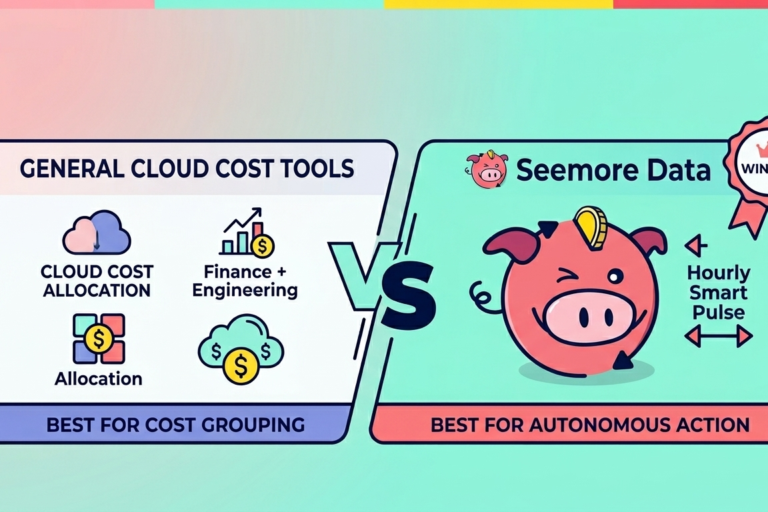
Snowflake cost optimization usually starts with good intentions and ends with too many tabs.
One tab shows warehouse spend. Another shows query history. A third holds budget notes from finance. A fourth has a dbt graph that might explain why yesterday’s run doubled in cost. Teams do not need more tabs. They need a tighter link between visibility and action.
The strongest Snowflake cost management tools help with one or more of these jobs: cost allocation, anomaly alerts, query analysis, warehouse tuning, or automated action. The useful comparison is not which tool has the prettiest dashboard. The useful comparison is which one can help your team cut waste without breaking the workloads people care about.
Quick verdict: Best overall for autonomous cost reduction: Seemore Data. Best for general cloud cost grouping: Finout.
Table of contents
- Feature comparison matrix
- What separates visibility from action in Snowflake cost control
- The 6 best Snowflake cost management tools
- Best practices for Snowflake cost control that actually change the bill
- A step-by-step buying framework
- FAQ
- Make Snowflake spend easier to explain
Feature comparison matrix
| Tool | Primary focus | Auto-scaling or auto-suspend | Root cause analysis and lineage | Pricing model |
| Seemore Data | Cost, usage, performance, lineage, action | Yes, through hourly warehouse tuning and shutdown workflows | Strong stack context across warehouse, pipeline, and BI | SaaS subscription |
| Finout | Cost allocation and reporting across cloud spend | No core Snowflake warehouse action layer | Limited compared with lineage-first data tools | SaaS subscription |
| Snowflake native tooling | Native monitoring and controls | Basic controls such as resource monitors and warehouse settings | Limited cross-stack context | Platform-native |
| SELECT.dev | Snowflake cost observability and query analysis | More analysis than hands-off action | Good query-level and workload visibility | SaaS subscription |
| Keebo | Warehouse and workload tuning | Yes, focused on workload and warehouse behavior | Less end-to-end lineage than stack-wide platforms | SaaS subscription |
| Yuki Data | Automated Snowflake and BigQuery cost reduction | Yes, automation-focused | Focused more on warehouse and query layer | SaaS subscription |
Two buying truths usually matter more than the table. First, a team that only needs allocation and reporting can buy simpler software. Second, a team that wants Snowflake cost optimization to happen continuously needs more than reporting.
What separates visibility from action in Snowflake cost control
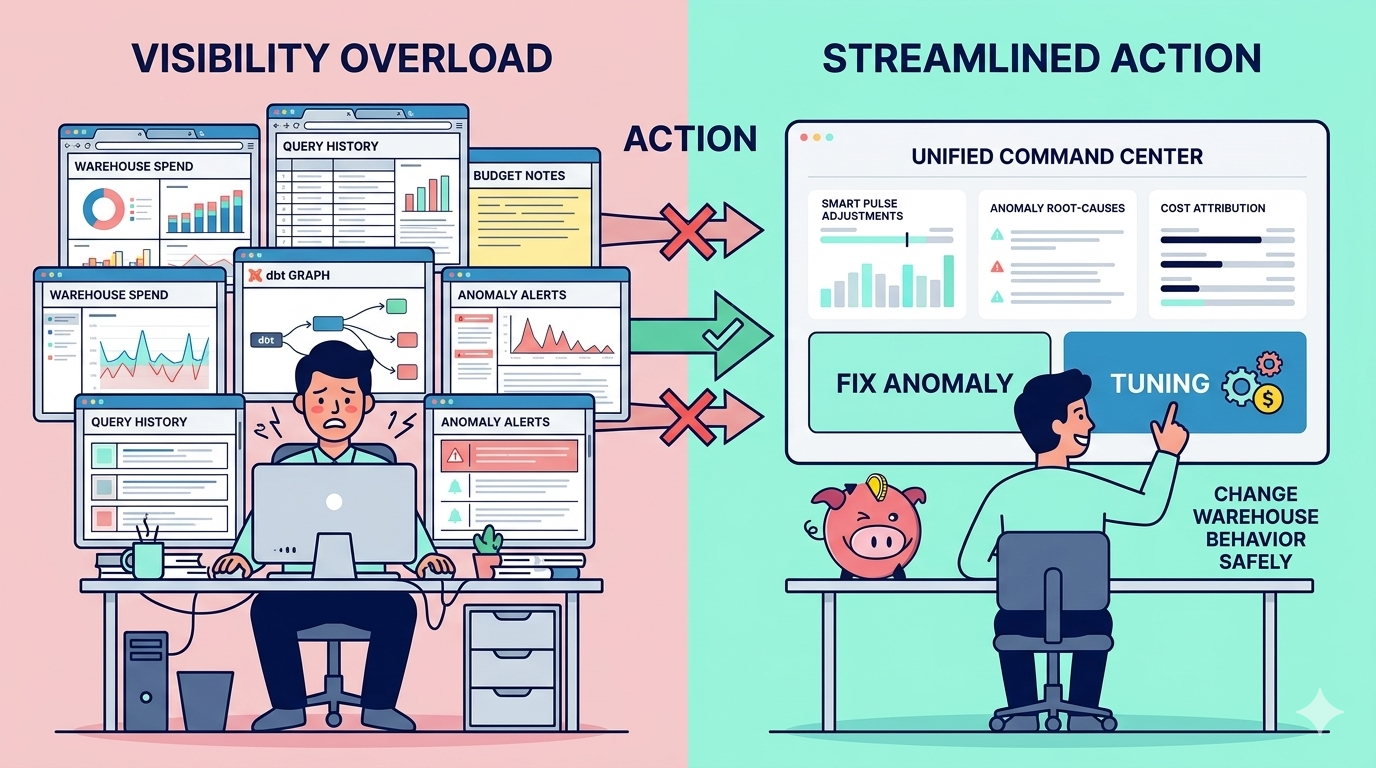
Most cost programs stall in the same place. Teams finally get better visibility, then nobody has time to turn it into daily action.
A useful platform should help answer five practical questions:
- Which workloads drive the bill?
- Which of those workloads matter to the business?
- Which waste can we remove without hurting service levels?
- Can the system explain a spike fast enough for the right owner to act?
- Can the platform change warehouse behavior safely, not only describe it?
That last question splits the market.
Finout is strong when finance and engineering need cleaner allocation across cloud systems. Snowflake’s native tooling is essential, but it still leaves teams doing a lot of stitching by hand. SELECT.dev gives strong query and cost analysis. Keebo and Yuki Data lean harder into automation. Seemore’s angle is broader: cost, usage, performance, and lineage in the same workflow, with warehouse tuning, root-cause anomaly analysis, and hourly Smart Pulse adjustments.
The 6 best Snowflake cost management tools
Snowflake native tooling
Snowflake’s own views, resource monitors, budgets, and warehouse controls form the baseline. Every team should know them before buying anything else.
Standout features
- Account usage views.
- Resource monitors and budget controls.
- Warehouse sizing and suspend settings.
- Query history for investigation.
Pros
- Already in the platform.
- Essential source data for every other tool.
Cons
- Cross-stack context is limited.
- Manual work grows fast in larger environments.
Finout
Finout is a strong fit for cloud cost allocation and chargeback programs. It is especially helpful when finance and platform teams need cost grouping across more than Snowflake alone.
Standout features
- Cost allocation and reporting.
- Shared cost breakdowns.
- Budget views across accounts and products.
- Good fit for cloud cost ownership.
Pros
- Strong financial allocation story.
- Helpful for multi-cloud reporting.
Cons
- Not built around Snowflake warehouse action.
- Limited lineage and pipeline detail compared with data stack platforms.
SELECT.dev
When teams choose to select Snowflake optimization platforms like SELECT.dev, they usually want sharper cost observability, query analysis, and workload insight before they automate changes.
Standout features
- Query-level analysis.
- Cost attribution views.
- Warehouse and workload visibility.
- Savings opportunity surfacing.
Pros
- Strong technical detail for Snowflake users.
- Good for teams that want to learn where the waste sits.
Cons
- More analysis-first than hands-off action-first.
- Less stack-wide than tools that include ETL, dbt, and BI context.
Keebo
Keebo leans into Snowflake warehouse and workload tuning. Teams that care most about compute behavior and performance trade-offs often put it on the list.
Standout features
- Warehouse tuning.
- Workload-aware adjustments.
- Performance and spend balancing.
- Query design guidance.
Pros
- Strong focus on Snowflake compute behavior.
- Clear fit for teams chasing warehouse waste.
Cons
- Narrower coverage outside the warehouse layer.
- Less business-facing lineage context.
Yuki Data
Yuki Data focuses on automated Snowflake and BigQuery cost reduction with a metadata-first setup. It is attractive when a team wants fast time to value and low lift on onboarding.
Standout features
- Metadata-first connection.
- Query and warehouse action paths.
- Automation around cost reduction.
- Marketplace-friendly setup story.
Pros
- Fast onboarding motion.
- Strong automation angle.
Cons
- Narrower than platforms that connect BI, orchestration, and lineage in one place.
- Less broad operating context for teams with messy stack ownership.
Seemore Data
Seemore is strongest when a team needs more than a Snowflake bill viewer. It connects cost, usage, performance, and lineage across the stack, then gives teams action paths that fit either cost or performance goals.
Standout features
- Hourly warehouse tuning with Smart Pulse.
- Stack-wide cost attribution from source to BI.
- Root-cause analysis for anomalies.
- Deep lineage with ownership and impact context.
Pros
- Ties Snowflake costs to the rest of the data product.
- Strong fit for teams that want action, not only explanation.
Cons
- A broader platform than a small single-warehouse team may need.
- Best value shows up when teams care about stack context, not only query detail.
Best practices for Snowflake cost control that actually change the bill
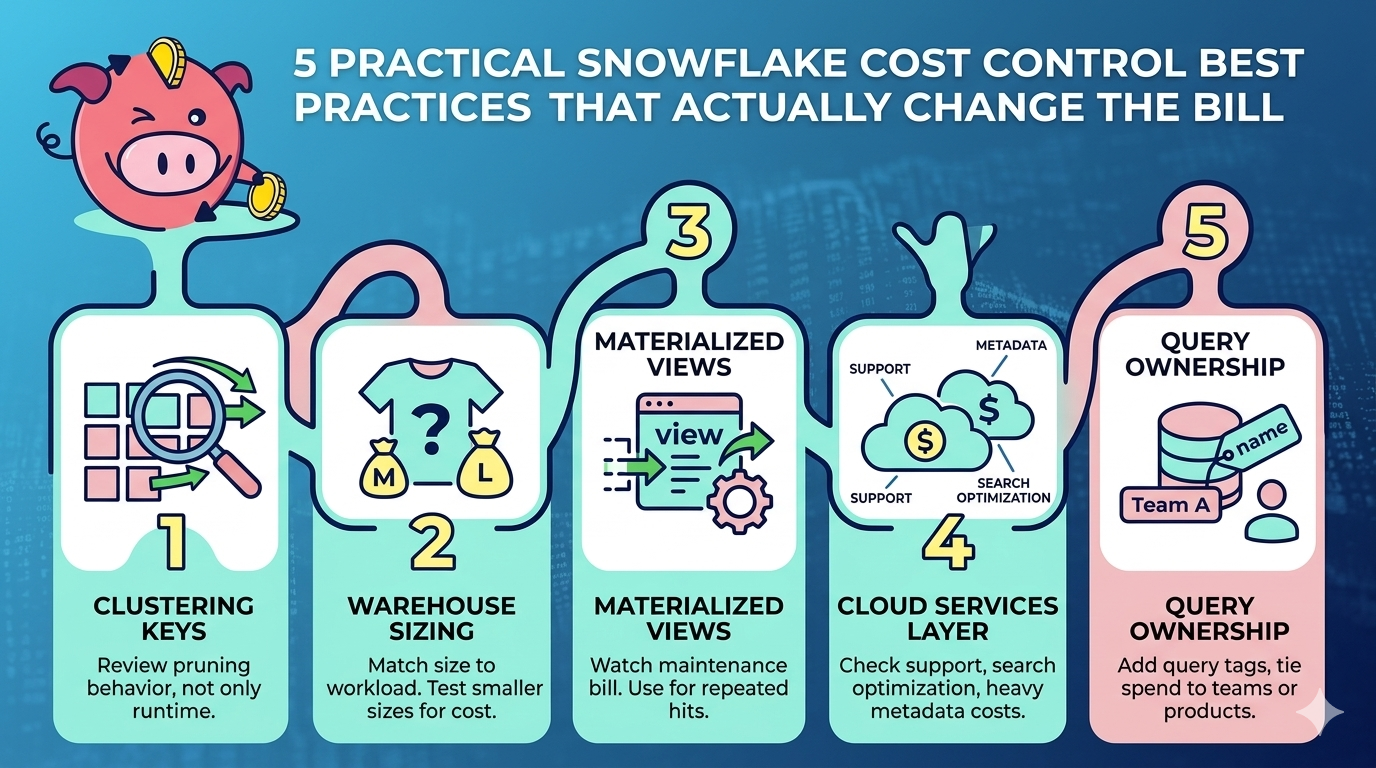
A tool alone will not rescue a weak operating model. The platforms above work best when the team already knows where waste usually hides.
Clustering keys and micro-partitions
Clustering can cut scan work when query patterns are stable, and filters line up with the table design. It can also waste money when teams cluster by habit instead of evidence.
Review pruning behavior, not only runtime. If the table keeps scanning too much data, the better move may be a different clustering key, a different table design, or no clustering at all.
Virtual warehouse sizing
Warehouse sizes double by T-shirt step, so a casual jump from Medium to Large is never casual on the bill. Start by matching warehouses to workload classes: ingestion, transformation, BI, and ad hoc work.
Then check whether a smaller warehouse that runs slightly longer still costs less overall. The answer is often yes, but not always.
Materialized views versus standard views
Materialized views can pay for themselves on repeated expensive queries. They can also create write and maintenance costs that teams forget to revisit.
A useful rule is simple: if the workload does not hit the object often enough, the maintenance bill can outrun the read savings.
Cloud services layer cost
Teams watch compute and storage, then miss the cloud services layer. Search optimization, automatic services, heavy metadata activity, and support layers can add up quietly.
A sound review cycle checks all of them, not only warehouse credits.
Query patterns and ownership
The most cost-effective technical change is often social, rather than architectural. Add query tags, keep clear warehouse naming, and tie spend to teams or data products. Without ownership, every dashboard feels important, and every warehouse feels temporary.
A tighter operating loop typically integrates native Snowflake controls with warehouse behavior analysis, cost monitoring, and a related playbook for investigating query costs.

A step-by-step buying framework
Step 1: Decide whether you need allocation, analysis, or action
A finance-heavy team may need allocation first. A platform team may need query analysis first. A lean engineering team often needs action first because nobody has spare hours for daily tuning.
Step 2: Review your last three cost spikes
Look at the last three painful billing moments. Did the team need better reporting, better diagnosis, or a system that would have changed warehouse behavior before the bill landed?
Step 3: Check stack reach
If Snowflake is only one piece of the cost story, favor tools that also connect dbt, ingestion, orchestration, and BI. Cross-stack context changes, which fixes are safe?
Step 4: Test automation guardrails
Do not ask only whether a platform can act. Ask how it acts, what limits exist, and how your team can override or review changes.
Step 5: Compare proof, not promise
A solid trial should show warehouse candidates, anomaly explanations, likely savings areas, and the ownership path for each fix. If the output stays abstract, the platform may stay abstract after purchase, too.
Make Snowflake spend easier to explain
The right cost tool does more than cut credits. It helps your team explain the bill to finance, defend the workloads that matter, and remove the ones nobody should keep paying for.
Snowflake cost optimization gets a lot easier once the same screen can show spend, ownership, workload behavior, and a safe next move.
Frequently asked questions
What are the best Snowflake cost management tools?
A common short list includes Seemore Data, Snowflake native tooling, Finout, Keebo, and Yuki Data. The best fit depends on whether your team needs allocation, deep query analysis, automated warehouse action, or full-stack context.
How do the features of the top Snowflake cost management tools compare?
The matrix near the top of this guide compares the main trade-offs. Finout leans toward allocation, Snowflake native tooling provides the baseline controls, Keebo and Yuki lean into action, and Seemore combines cost, usage, performance, lineage, and action in one platform.
Which Snowflake cost management tool is best for autonomous action?
Teams that want autonomous action usually compare Seemore, Keebo, and Yuki. The better fit depends on whether you want warehouse-only action or a stack-wide context that includes lineage, downstream usage, and business ownership.
Do I still need Snowflake native controls if I buy a third-party platform?
Not necessarily. A platform that provides full depth observability, cost controls, MCP access, and automated optimization for your Snowflake environment can replace the need to manage Snowflake through separate native controls.
However, platforms that mainly reroute or redirect workloads don’t replace Snowflake’s underlying management capabilities. In those cases, you’ll still need Snowflake Native controls alongside the third-party tool.
What is the fastest way to reduce Snowflake spend without hurting performance?
Start with warehouse right-sizing, auto-suspend review, query ownership, and workload grouping. Then use a platform that can explain which waste is safe to remove and which spend protects a service level that the business actually cares about.